Open topic with navigation (left menu)
Before you can start adding questions, you must add a test. If you have already added a test, click on the test in the navigation tree and click the Questions tab. To start adding questions, click Add.
The question types are divided into two categories: general and interactive. As a rule, general question types are accessible for the visually impaired. The interactive question types have a drag and drop functionality. If you have visually impaired participants you should avoid using the interactive question types. Also note that interactive questions cannot be answered on mobile phones. Click on the question types below to read more about them.
You can use text, images, sound and video in both questions and alternatives in all question types.


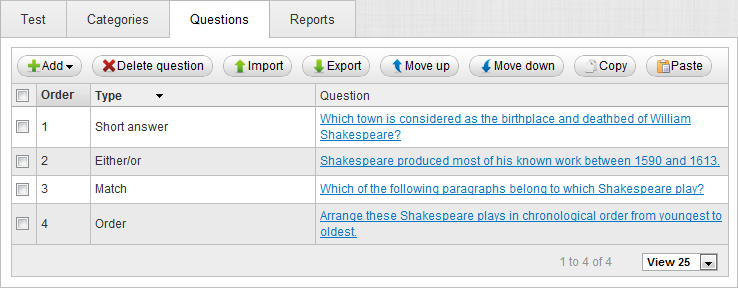
In the question overview you can add and delete questions, import and export questions, move the questions up and down and copy and paste the questions.
 Adding questions
 Preview you are allowed to see the question exactly as it looks for the participants taking the test. You can also submit the answer to check whether the feedback is correct.